
Best Home Security Cameras: The Full Guide
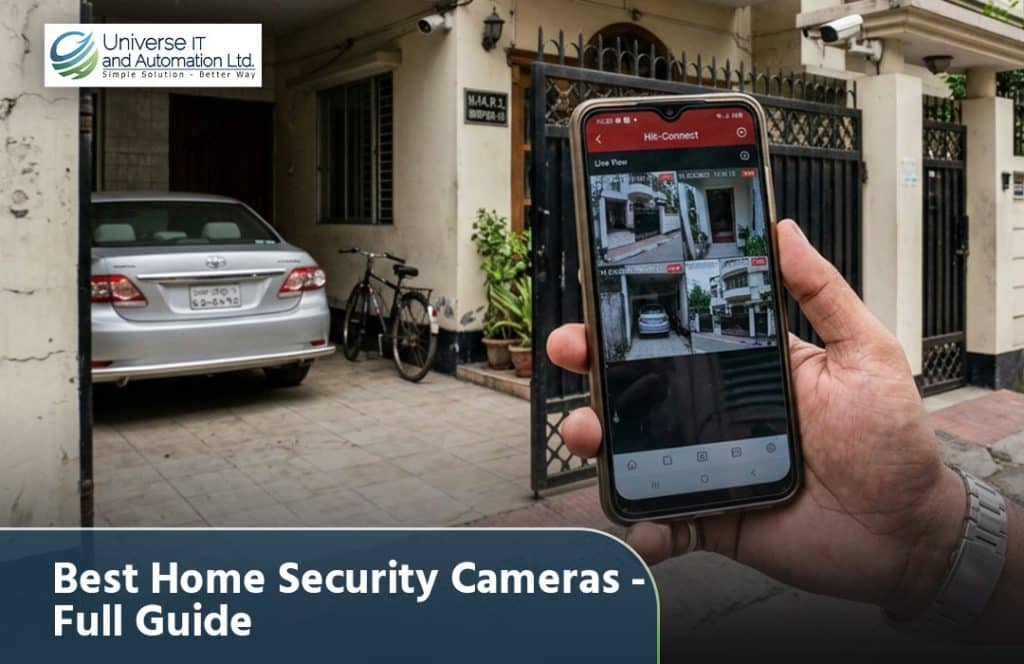
Choosing a home security camera used to mean picking between a handful of bulky, expensive systems. Today, the market is flooded with options — Wi-Fi cameras, wired DVR systems, solar-powered units, cameras with AI detection — and that abundance of choice often makes the decision harder, not easier. This guide walks through everything you actually need to know before buying: the types of cameras available, the features that genuinely matter, how to plan coverage for your specific home, and how to avoid common mistakes that leave blind spots or waste money on features you’ll never use. Why Every Home Benefits From a Security Camera Before getting into specifics, it’s worth being clear about what a home security camera actually accomplishes, because that shapes which type is right for you: Types of Home Security Cameras 1. Wi-Fi Indoor Cameras Compact, plug-and-play, and connected directly to your home Wi-Fi network, these are the easiest cameras to set up — often in under ten minutes with no drilling or wiring required. They’re ideal for monitoring living rooms, children’s rooms, or a home office, and most come with mobile app alerts for motion detection. 2. Outdoor Bullet and Dome Cameras These are built specifically to withstand weather and are typically wired into a central DVR or NVR system. Bullet cameras have a longer, directional shape suited for covering gates, driveways, and boundary walls, while dome cameras offer a wider field of view and blend more discreetly into ceilings or eaves — useful for porches and entryways. 3. Video Doorbell Cameras A video doorbell replaces (or attaches near) your existing doorbell and lets you see, hear, and speak to whoever is at your door — even if you’re not home. This is one of the most useful additions for apartment dwellers and homeowners alike, since front-door package theft and unexpected visitors are common concerns. 4. Solar-Powered and 4G Cameras For gates, boundary walls, or outbuildings far from a power source, solar-powered cameras with battery backup and either Wi-Fi or 4G connectivity solve the wiring problem entirely. These are especially useful for larger properties or homes where running an electrical line to a remote corner isn’t practical. 5. Full DVR/NVR Multi-Camera Systems For comprehensive whole-home coverage, a multi-camera package (typically 4 or 8 channels) connected to a central recorder offers the most complete protection. These systems record continuously to a hard drive, support multiple simultaneous camera views, and generally offer the best value per camera when covering an entire property. Key Features That Actually Matter With so many marketing terms thrown around, it’s easy to get distracted by features that sound impressive but don’t add much real value. Here’s what genuinely matters: Planning Camera Placement Around Your Home Buying the right cameras is only half the job — placement determines whether they actually do their job. A well-planned home camera layout typically covers: A good rule of thumb: prioritize entry points first, then add cameras for any blind spots a determined intruder could exploit — corners, low fences, or areas obscured by trees or parked vehicles. Wired vs. Wireless: Which Should You Choose? This is one of the most common questions homeowners face, and the honest answer is: it depends on your home and priorities. Wired systems (DVR/NVR-based) offer more reliable, uninterrupted recording since they’re not dependent on Wi-Fi signal strength, and they typically support more cameras on a single system. They’re better suited for whole-home coverage and are generally more resistant to signal jamming or interference — an important consideration for serious security setups. Wireless systems are faster and easier to install, require no cabling through walls, and are more flexible if you want to reposition cameras later or if you’re renting rather than owning your home. The trade-off is a dependency on stable Wi-Fi and, in some cases, battery charging or replacement for battery-powered models. Many homeowners in Bangladesh find a hybrid approach works best: a wired DVR system for permanent, high-priority coverage (front gate, main entrance) combined with a couple of flexible Wi-Fi cameras for indoor or easily repositioned monitoring. Budget Planning for a Complete Home Setup Rather than buying cameras one at a time, it’s usually more cost-effective to plan your full coverage need upfront and buy a package: Since exact prices shift based on brand, resolution, and current promotions, checking updated pricing directly from a trusted supplier before budgeting is the safest approach. Browsing Universe IT’s CCTV collection gives a clear, current picture of package pricing across popular brands like Hikvision, Dahua, CP Plus, and Samsung, so you can plan your home setup with real numbers rather than guesswork. Pairing Cameras With Smart Locks and Access Control A home security camera tells you what happened. A smart lock or access control system helps prevent it from happening in the first place. Combining CCTV coverage with a Door Lock upgrade — a digital lock with PIN code, fingerprint, or app-based access — adds a meaningful second layer of protection, especially for main entrances and gates. For homes with domestic help, family members coming and going at different times, or rental units, a smart lock also removes the hassle and risk of duplicated physical keys. Common Mistakes to Avoid Final Thoughts The best home security camera setup isn’t necessarily the most expensive one — it’s the one that’s properly matched to your home’s layout, covers your actual entry points, and includes reliable night vision, weatherproofing, and mobile access. Whether you go fully wired, fully wireless, or a hybrid of both, the goal is the same: eliminate blind spots and make sure that if something does happen, you have clear, usable footage to act on. Taking the time to plan coverage properly — rather than buying cameras piecemeal — will save money and deliver far better protection in the long run. For genuine, warranty-backed camera systems and expert guidance on planning a complete home setup, Universe IT’s CCTV and Access Control & CCTV collections are a reliable place to compare brands, packages, and
Top 10 CCTV Cameras in Bangladesh: A Complete Buyer’s Guide
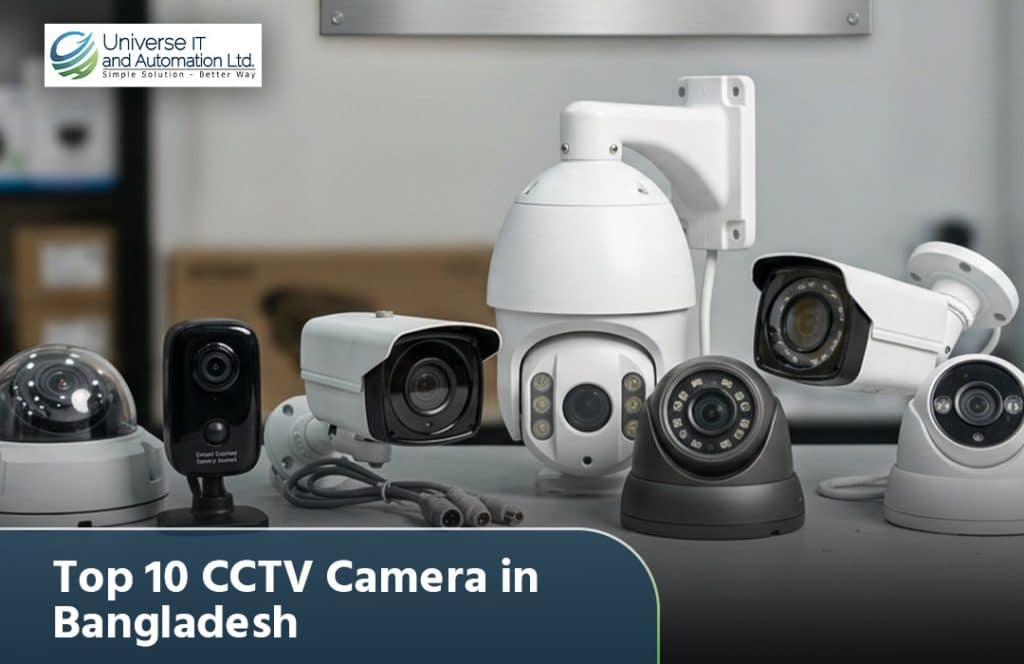
Security concerns have grown across Bangladesh’s homes, offices, and businesses over the last few years, and CCTV cameras have become one of the most practical investments anyone can make. But with dozens of brands and hundreds of models flooding the market, choosing the right one can feel overwhelming. This guide breaks down ten of the most trusted and widely used CCTV camera options available in Bangladesh today, along with what makes each one worth considering, so you can match the right camera to your specific need instead of just picking whatever’s cheapest on the shelf. What to Look For Before You Compare Models Before diving into the list, it helps to understand the handful of specifications that actually matter for everyday use in Bangladesh’s climate and power conditions: With that in mind, here are ten of the top CCTV camera options commonly recommended and sold in Bangladesh. 1. Hikvision Dome Camera Series Dome cameras get their name from the rounded, tamper-resistant housing that conceals the direction the lens is pointing, which makes them harder for intruders to avoid on purpose. Hikvision’s dome lineup typically ranges from 2MP entry-level units to 4K/8MP models used in retail chains and corporate offices. Key features worth checking before buying include WDR (Wide Dynamic Range) for handling bright windows or doorway backlighting, and IR night vision distances that usually fall between 20–30 meters for standard models. Because the housing sits flush against a ceiling, domes are less prone to physical tampering than exposed cameras, which is why they’re the default choice for stairwells, lobbies, and cash-counter areas. For Bangladeshi homes and shops, a 2MP or 4MP dome with H.265+ compression is usually enough — it keeps storage costs down while still giving clear enough footage to identify faces at close-to-medium range. 2. Hikvision Bullet Camera Series Bullet cameras are cylindrical and mounted with a visible bracket, so anyone looking at the building can immediately tell they’re being recorded — a psychological deterrent that dome cameras don’t offer as strongly. Because the housing has more internal space, bullet models generally pack in stronger IR arrays, often reaching 30–50 meters of night visibility, which matters for open areas like parking lots, gates, and boundary walls. Most outdoor bullet units carry an IP66 or IP67 rating, meaning they’re built to handle Bangladesh’s monsoon rain and humidity without water ingress. When installing, angling the camera slightly downward and away from direct sunlight prevents lens flare and keeps the auto-exposure from struggling at dawn and dusk — a common issue with poorly positioned bullet cameras in this climate. 3. Dahua IP Camera Range Dahua’s IP (network) cameras stand out for their onboard video analytics — features like line-crossing detection, intrusion zones, and vehicle/human classification that used to require expensive external software. These run using AI processing built directly into the camera chip, so alerts can be triggered in real time without needing a powerful NVR. Dahua’s Starlight and Full-Color series are particularly strong in low light, using larger image sensors to keep footage in color even at night instead of switching to grainy black-and-white IR mode. For commercial properties — warehouses, factory floors, multi-story buildings — this smart detection reduces the amount of footage staff need to manually review, since the system can flag only the events that matter (like someone crossing a restricted line) rather than recording hours of empty footage. 4. CP Plus HD Camera Series CP Plus has positioned itself as the budget-to-mid-range option across South Asia, and in Bangladesh it’s a common choice for shopkeepers and homeowners who want dependable coverage without paying for enterprise features they won’t use. Most CP Plus HD cameras use analog or HD-CVI/TVI transmission rather than full IP/network setups, which keeps installation simpler and cheaper — you don’t need a complex network configuration, just coaxial cabling to a DVR. Resolution options typically span 2MP to 5MP, and the newer AI-series models add basic motion-based human/vehicle filtering. The trade-off compared to Hikvision or Dahua is generally in low-light sensitivity and analytics sophistication, but for straightforward “record and playback if something happens” use cases, CP Plus remains one of the most cost-effective options in the market. 5. Bosch Professional Surveillance Cameras Bosch cameras are built around industrial-grade reliability rather than consumer convenience, which is why they dominate in banks, factories, and large retail chains where downtime isn’t acceptable. Bosch’s Intelligent Video Analytics (IVA) runs directly on the camera and can detect complex behaviors — loitering, object removal, crowd formation — with far fewer false alarms than typical motion detection. These cameras are also engineered for extreme temperature tolerance and vandal resistance (often IK10-rated housings), which matters for exposed installations in industrial environments. The cost is significantly higher than Hikvision or Dahua equivalents, so Bosch generally makes sense only when a business needs 24/7 uptime guarantees, advanced analytics, or is integrating into an existing enterprise security ecosystem rather than building from scratch. 6. Samsung Wisenet Series Wisenet (formerly Samsung Techwin) built its reputation on sensor and color-science quality — the same imaging expertise Samsung applies to its consumer cameras carries over into its surveillance line. This translates to more accurate skin tones and product colors on screen, which is genuinely useful in retail settings where staff need to verify things like the color of a returned item or a vehicle’s paint at an entry gate. Wisenet cameras also tend to handle high-contrast scenes well, keeping both bright and shadowed areas of a frame visible at the same time. They’re less common in Bangladesh than Hikvision or Dahua, generally imported through specialized security vendors, and priced closer to the premium end — best suited to businesses where image accuracy is a functional requirement, not just a nice-to-have. 7. ZKTeco CCTV & Access Combo Systems ZKTeco’s core strength is convergence — instead of running a camera system, a biometric attendance system, and a door access system as three separate platforms, ZKTeco lets a business manage all three from one interface. This is particularly useful for
How to Fix Printer Streaks: 7 Easy Solutions
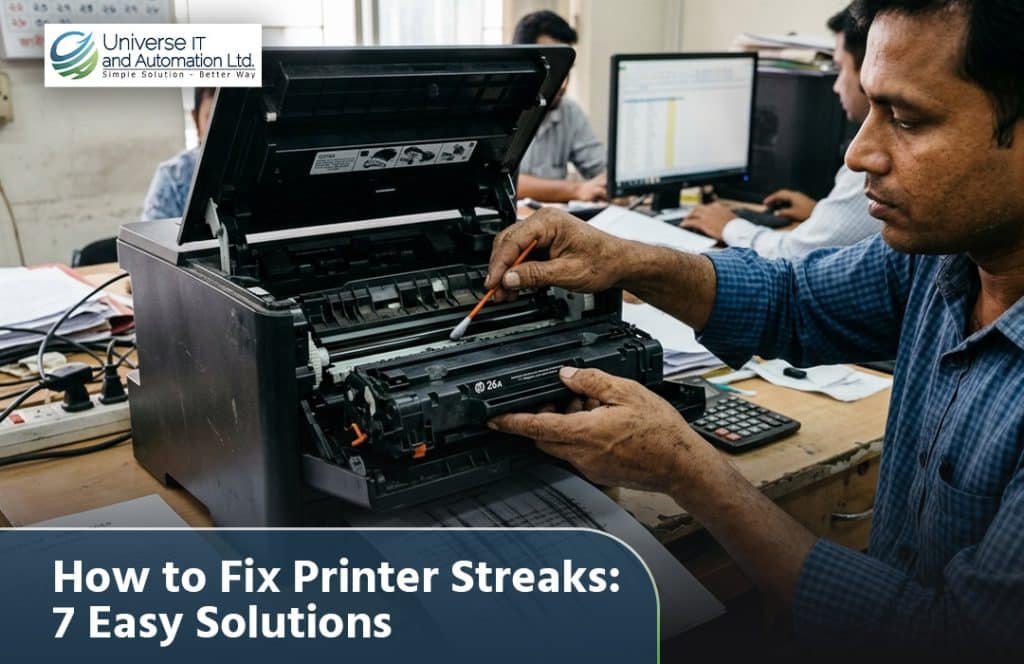
There’s nothing more frustrating than hitting print on an important document, an ID card, or a barcode label, only to watch it come out with ugly streaks running through it. Whether you’re running a small office, a retail counter, or a printing shop, streaky prints waste paper, waste time, and make your output look unprofessional. The good news is that printer streaking is almost always fixable, and in most cases you don’t need to call a technician or buy a new machine. Below is a complete, practical breakdown of why streaks happen and seven easy solutions you can try today. Why Does a Printer Produce Streaks in the First Place? Before jumping into fixes, it helps to understand what’s actually going on inside the machine. Streaks typically happen because something is physically blocking, dragging across, or unevenly depositing ink, toner, or dye onto the paper or card surface. The most common culprits are: Once you know the likely cause, fixing it becomes a lot more straightforward. Let’s go through the seven solutions in order, starting with the simplest ones. 1. Run a Built-In Cleaning Cycle Almost every modern printer, from a basic home inkjet to a professional barcode or ID card printer, has a built-in cleaning utility. This is always the first thing to try because it takes just a few minutes and solves the majority of light streaking issues caused by dried ink or minor clogging. If a single cleaning cycle doesn’t fix it, don’t panic — move on to a deeper manual clean. 2. Manually Clean the Print Head or Nozzles Sometimes the automated cleaning cycle isn’t strong enough to remove stubborn residue. In that case, a manual clean works better. For inkjet printers, gently remove the cartridge and use a lint-free cloth lightly dampened with distilled water (never tap water, which contains minerals that leave deposits) to wipe the nozzle plate. Let it air dry for a few minutes before reinserting. For thermal and card printers, which are widely used for ID cards, barcode labels, and access cards, the print head is more delicate and requires an isopropyl-alcohol cleaning pen or cleaning card specifically designed for that model. Genuine cleaning kits and compatible print heads for popular models are available through suppliers like the ID Card Printer Accessories section, which stocks cleaning tools built for the exact hardware used in most Bangladeshi offices and printing shops. Always power off the printer and let it cool down before touching any internal components, especially on thermal printers where the head can get hot during operation. 3. Replace an Old or Damaged Ribbon (For Card and Barcode Printers) If you’re using a thermal transfer or dye-sublimation printer for ID cards or barcode labels, streaking is very often caused by the ribbon itself rather than the printer. Ribbons can develop wrinkles, tension issues, or simply run past their usable life, and this shows up as consistent vertical lines on every printed card or label. Signs that the ribbon is the problem include: Switching to a genuine, compatible ribbon usually resolves this instantly. Browsing a dedicated Barcode Ribbon collection makes it easy to match the exact wax, resin, or wax-resin ribbon type your printer model requires, which avoids the compatibility issues that cause streaking in the first place. 4. Inspect and Replace the Print Head If cleaning doesn’t resolve the streaks and they appear in the exact same spot every single time, the print head itself may be scratched, worn out, or partially burnt out. This is common after months or years of heavy daily use, particularly in busy printing shops, ID card counters, and warehouses that print barcode labels constantly. A worn print head produces a thin, consistent line where one or more heating elements have failed. Unfortunately, this can’t be cleaned away — it requires a replacement part. Genuine print heads for popular brands like Zebra, Evolis, and HiTi are available, and choosing the correct model number is critical, since even a slightly mismatched head can cause new streaking or printing errors. You can browse a full range of ID Card Printer heads and matching accessories to find the exact replacement for your machine. 5. Clean or Replace the Rollers Rollers pull paper, cards, or labels through the printer, and over time they accumulate dust, paper fibers, and adhesive residue (especially from label stock). A dirty or worn roller can cause uneven pressure, which shows up as streaks, smudges, or faint banding across the printed surface. To clean rollers: If the rollers are cracked, flattened, or visibly worn down rather than just dirty, replacement is the better long-term fix, since a damaged roller will keep causing streaks no matter how often it’s cleaned. 6. Check Your Ink, Toner, or Ribbon Quality Not all consumables are created equal. Cheap, refilled, or counterfeit ink cartridges, toner, and ribbons are one of the most common hidden causes of streaking. Low-quality ink can dry unevenly inside the nozzles, cheap toner can clump and cause drum contamination, and off-brand ribbons often don’t have consistent thickness or coating, leading to visible lines on every print. If you’ve recently switched to a cheaper consumable brand right before the streaking started, that’s very likely your answer. Using genuine or well-reviewed compatible consumables — matched exactly to your printer model — consistently produces cleaner results and extends the life of the print head, which saves money in the long run even though the upfront cost may be slightly higher. 7. Update Drivers and Check Print Settings Sometimes the problem isn’t mechanical at all — it’s software. Outdated printer drivers or incorrect print settings can cause banding, color shifts, or streak-like artifacts that look identical to a hardware fault. If you’re unsure where to find the right drivers for card printers or barcode printers, manufacturer support pages and driver archives are usually linked directly from the printer’s product listing, and Universe IT’s Drivers & Support page is a useful starting point for locating official downloads for commonly used models
সিসি ক্যামেরা মোবাইল কানেকশন দাম: সম্পূর্ণ গাইড ও দামের তালিকা
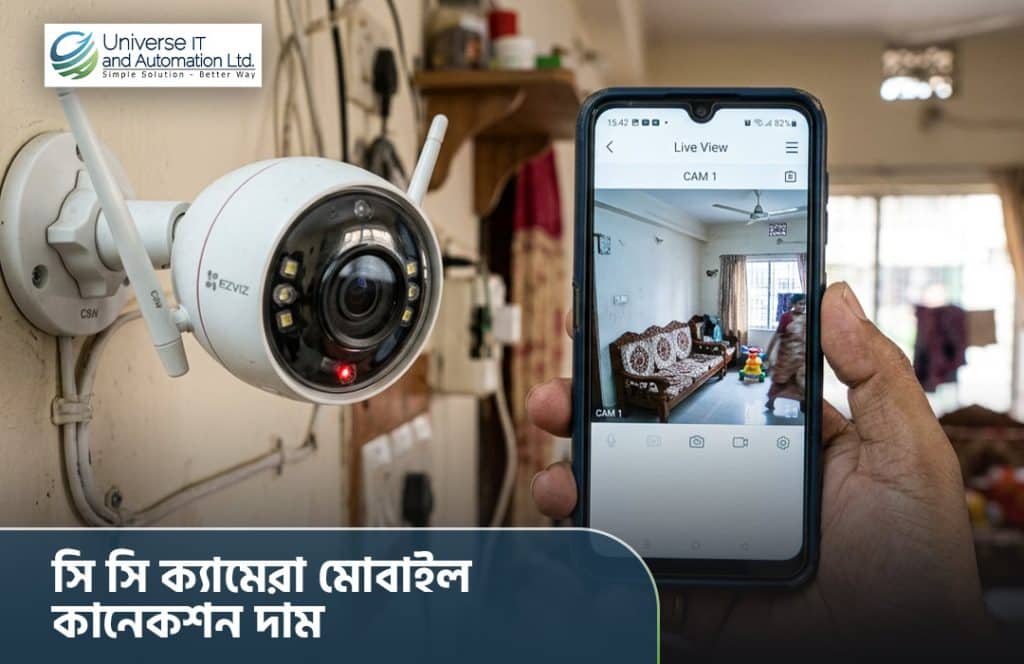
আজকের দিনে নিরাপত্তা মানেই শুধু দেয়ালে একটা ক্যামেরা বসিয়ে রাখা নয় — বরং সেই ক্যামেরার ফুটেজ যেকোনো জায়গা থেকে, যেকোনো সময়, আপনার হাতের মুঠোয় থাকা মোবাইল ফোনেই দেখতে পারা। এই কারণেই “সিসি ক্যামেরা মোবাইল কানেকশন” এখন বাংলাদেশে সবচেয়ে বেশি খোঁজা একটি বিষয়। বাসার গেট, দোকানের কাউন্টার, অফিসের এন্ট্রি পয়েন্ট বা গ্যারেজ — সব জায়গা থেকে লাইভ ফুটেজ মোবাইলে দেখার সুবিধা মানুষকে নিশ্চিন্ত করে তুলেছে। কিন্তু এই সুবিধা পেতে কত টাকা খরচ হয়, কী ধরনের ক্যামেরা লাগবে, আর সেটআপ কীভাবে করতে হয় — এসব প্রশ্নের উত্তর নিয়েই আজকের এই বিস্তারিত আলোচনা। মোবাইল কানেকশন সিসি ক্যামেরা আসলে কী? সহজ ভাষায় বলতে গেলে, মোবাইল কানেকশন সিসি ক্যামেরা এমন এক ধরনের সিস্টেম যেখানে ক্যামেরার রেকর্ডিং ডিভাইস (DVR/NVR) বা ক্যামেরা নিজেই ইন্টারনেটের সাথে যুক্ত থাকে, এবং একটি নির্দিষ্ট মোবাইল অ্যাপের মাধ্যমে আপনি লাইভ ভিডিও দেখতে পারেন। এটি দুই ধরনের হতে পারে — ১. DVR/NVR ভিত্তিক সিস্টেম — এখানে অ্যানালগ বা আইপি ক্যামেরাগুলো একটি রেকর্ডারের সাথে যুক্ত থাকে, আর সেই রেকর্ডারটি রাউটারের মাধ্যমে ইন্টারনেটে যুক্ত হয়ে মোবাইল অ্যাপে ফিড পাঠায়। ২. স্ট্যান্ডঅ্যালোন ওয়াইফাই ক্যামেরা — এই ক্যামেরাগুলোর নিজস্ব ওয়াইফাই মডিউল থাকে, তাই আলাদা রেকর্ডার ছাড়াই সরাসরি রাউটারের সাথে যুক্ত হয়ে মোবাইলে ফুটেজ পাঠাতে পারে। ছোট বাসা বা দোকানের জন্য এটি খুবই জনপ্রিয়। মোবাইল কানেকশন সিসি ক্যামেরার দাম কেমন হয়? দাম নির্ভর করে ক্যামেরার রেজোলিউশন, ব্র্যান্ড, ইনডোর নাকি আউটডোর, এবং কতগুলো ক্যামেরা লাগবে তার উপর। নিচে একটি সাধারণ ধারণা দেওয়া হলো, যা বাজারের সাধারণ প্রাইস রেঞ্জ অনুসরণ করে — দাম সবসময় পরিবর্তনশীল, তাই সঠিক ও আপডেটেড দাম জানার জন্য সরাসরি বিশ্বস্ত কোনো সাপ্লায়ারের কাছ থেকে কোটেশন নেওয়াই ভালো। এক্ষেত্রে Universe IT-এর CCTV কালেকশন থেকে হিকভিশন, দাহুয়া, সিপি প্লাসের মতো গ্লোবাল ব্র্যান্ডের আপডেটেড দাম ও প্যাকেজ দেখে নেওয়া যেতে পারে। কেন মোবাইল কানেকশন সিসি ক্যামেরা এত জনপ্রিয়? আগে সিসি ক্যামেরার ফুটেজ দেখতে হলে সরাসরি মনিটরের সামনে গিয়ে বসতে হতো। এখন প্রযুক্তির উন্নতির কারণে সেই সীমাবদ্ধতা আর নেই। মোবাইল কানেকশন সিসি ক্যামেরার কিছু বাস্তব সুবিধা — সিসি ক্যামেরাকে মোবাইলের সাথে কীভাবে কানেক্ট করবেন? অনেকেই মনে করেন এটি জটিল প্রক্রিয়া, কিন্তু বাস্তবে খুবই সহজ। সাধারণ ধাপগুলো হলো — ১. প্রথমে ক্যামেরা বা DVR/NVR ইন্টারনেট রাউটারের সাথে সংযুক্ত করতে হবে (তার দিয়ে বা ওয়াইফাইয়ের মাধ্যমে)। ২. ক্যামেরার ব্র্যান্ড অনুযায়ী নির্দিষ্ট মোবাইল অ্যাপ (যেমন Hik-Connect, gDMSS, EZVIZ ইত্যাদি) প্লে স্টোর বা অ্যাপ স্টোর থেকে ডাউনলোড করতে হবে। ৩. ডিভাইসের গায়ে থাকা QR কোড স্ক্যান করে বা সিরিয়াল নম্বর দিয়ে অ্যাপে ডিভাইসটি অ্যাড করতে হবে। ৪. ওয়াইফাই পাসওয়ার্ড দিয়ে ক্যামেরাকে নেটওয়ার্কের সাথে যুক্ত করলেই লাইভ ফিড মোবাইলে দেখা যাবে। এই পুরো প্রসেসে বেশিরভাগ ক্ষেত্রে ১৫-২০ মিনিটের বেশি সময় লাগে না। তবে নতুন ব্যবহারকারীদের জন্য একজন টেকনিশিয়ানের সাহায্য নেওয়াই ভালো, যাতে নেটওয়ার্ক কনফিগারেশন সঠিকভাবে হয় এবং পরবর্তীতে কানেকশন ড্রপ হওয়ার সমস্যা না হয়। দাম প্রভাবিত করে যেসব বিষয় শুধু ক্যামেরার সংখ্যা নয়, আরও কিছু বিষয় সিসি ক্যামেরার মোবাইল কানেকশন সিস্টেমের সামগ্রিক খরচ ঠিক করে দেয়: বাসা, দোকান নাকি অফিসের জন্য কোনটা উপযুক্ত? কোন প্যাকেজ আপনার জায়গার জন্য মানানসই, তা নির্ধারণে Access Control & CCTV ক্যাটাগরিতে থাকা বিভিন্ন সমাধান দেখে নেওয়া যেতে পারে, যেখানে বাসা থেকে শুরু করে বাণিজ্যিক প্রতিষ্ঠান পর্যন্ত সব ধরনের চাহিদার জন্য প্যাকেজ পাওয়া যায়। কেনার আগে যেসব বিষয় খেয়াল রাখবেন দাম দেখেই তাড়াহুড়ো করে ক্যামেরা কেনা ঠিক নয়। কেনার আগে নিচের বিষয়গুলো যাচাই করে নেওয়া উচিত: ১. ইন্টারনেট স্পিড ও স্ট্যাবিলিটি — মোবাইলে স্মুথ লাইভ ভিউয়ের জন্য পর্যাপ্ত আপলোড স্পিড দরকার। ২. ওয়ারেন্টি ও আফটার-সেলস সার্ভিস — জেনুইন প্রোডাক্ট ও লোকাল সাপোর্ট থাকলে ভবিষ্যতে সমস্যা কম হয়। ৩. অ্যাপের ইউজার ফ্রেন্ডলিনেস — কিছু ব্র্যান্ডের অ্যাপ জটিল হতে পারে, তাই কেনার আগে অ্যাপ রিভিউ দেখে নেওয়া ভালো। ৪. নাইট ভিশন রেঞ্জ — রাতের বেলা কতদূর পর্যন্ত স্পষ্ট দেখা যায়, তা ফুটেজের গুণমান নির্ধারণ করে। ৫. ওয়েদার রেজিস্ট্যান্স (আউটডোরের ক্ষেত্রে) — বৃষ্টি, রোদ সহ্য করার মতো IP66/IP67 রেটিং আছে কিনা দেখে নিন। শেষ কথা মোবাইল কানেকশন সিসি ক্যামেরা এখন বিলাসিতা নয়, বরং নিরাপত্তার একটি বাস্তব প্রয়োজন হয়ে দাঁড়িয়েছে। সঠিক বাজেট, সঠিক ব্র্যান্ড আর সঠিক ইনস্টলেশন নিশ্চিত করতে পারলে যেকোনো জায়গা থেকেই আপনার বাসা, দোকান বা অফিসের নিরাপত্তা নিয়ে নিশ্চিন্ত থাকা সম্ভব। দাম বিভিন্ন ফ্যাক্টরের উপর নির্ভর করে বদলাতে পারে, তাই কেনার আগে বিশ্বস্ত সাপ্লায়ারের কাছ থেকে আপডেটেড কোটেশন ও পরামর্শ নেওয়াটাই সবচেয়ে বুদ্ধিমানের কাজ। এই ব্যাপারে জেনুইন প্রোডাক্ট, বিস্তারিত গাইডলাইন এবং নেশনওয়াইড ডেলিভারির জন্য Universe IT থেকে ঘুরে আসতে পারেন, যেখানে বিশ্বখ্যাত ব্র্যান্ডের CCTV ও Access Control সমাধান একসাথে পাওয়া যায়।
Zebra vs Evolis vs HiTi: Which One Fits Your Budget?
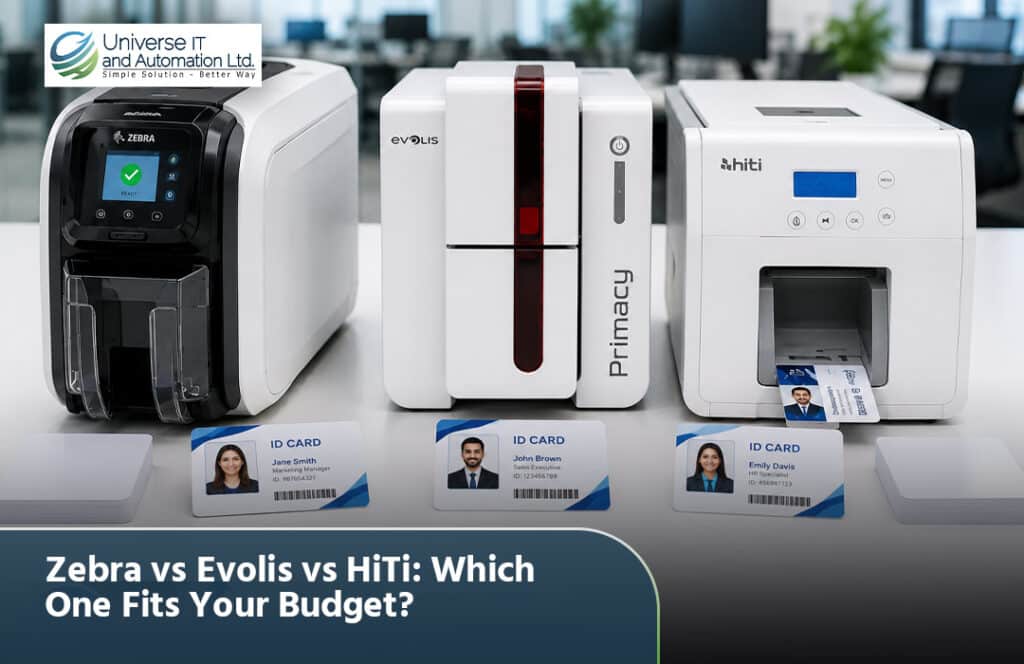
If you’ve started shopping for an ID card printer, you’ve probably run into the same three names over and over: Zebra, Evolis, and HiTi. All three make solid machines, but they’re built for different budgets, different print volumes, and different levels of “I just need this to work” versus “I need enterprise-grade reliability.” So how do you actually decide Zebra vs Evolis vs HiTi for your specific situation — whether you’re a student setting up a small print shop, a startup founder issuing employee badges, or a business owner scaling up card production? That’s exactly what we’re breaking down in this guide. By the end, you’ll know which brand fits your budget, what you’re trading off at each price point, and where to look if you want expert help choosing the right ID card printing setup for your needs. Why the Printer Brand You Choose Actually Matters Before comparing specs, it helps to understand why this decision isn’t just about price tags. An ID card printer is a long-term investment. You’re not just paying for the machine — you’re paying for: A cheaper printer that eats expensive ribbons or breaks down in year two can end up costing more than a pricier machine that’s built to last. This is why comparing Zebra, Evolis, and HiTi side by side — not just on sticker price — matters so much. If you’d rather skip the research and get a recommendation tailored to your print volume, the team at Universeita Printing can walk you through it. Zebra ID Card Printers: Overview Zebra is one of the most recognized names in industrial printing, and its card printers are known for being tough, reliable, and built for scale. Zebra printers are common in corporate offices, government agencies, schools, and healthcare facilities. Zebra Pros Zebra Cons Best Zebra Models by Budget If your organization prints hundreds of cards a month and needs long-term durability, Zebra is often worth the higher entry price. You can explore compatible printing solutions and supplies here. Evolis ID Card Printers: Overview Evolis is a French manufacturer that’s become extremely popular for its ease of use, sleek design, and beginner-friendly setup. It’s a favorite among small businesses, schools, gyms, and clubs that need reliable badge printing without a complicated learning curve. Evolis Pros Evolis Cons Best Evolis Models by Budget Evolis tends to hit a sweet spot for beginners and small-to-medium businesses that want professional results without an enterprise budget. If you’re not sure which Evolis model matches your print volume, our printing specialists can help you compare options. HiTi ID Card Printers: Overview HiTi is often the budget-conscious choice, popular with startups, students, and small businesses that need decent print quality without a big upfront investment. HiTi has built a reputation around affordability and dye-sublimation print quality at a lower price point. HiTi Pros HiTi Cons Best HiTi Models by Budget If your budget is tight and your print volume is low to moderate, HiTi is often the most accessible starting point. Just be sure to check consumable and support availability in your region before committing — something the Universeita Printing team can help verify. Zebra vs Evolis vs HiTi: Head-to-Head Comparison Here’s a quick side-by-side snapshot to make the Zebra vs Evolis vs HiTi decision easier: Factor Zebra Evolis HiTi Upfront cost High Mid-range Low Ease of use Moderate Very easy Easy Build durability Excellent Good Fair Best for Enterprises, high-volume SMEs, schools, beginners Startups, students, tight budgets Encoding options Extensive Good Limited Ribbon/consumable cost Higher Moderate Lower Support network Wide Growing Variable by region Resale value Strong Moderate Lower This table is a general guide — actual pricing and availability vary by model, region, and reseller. For an accurate quote based on your exact needs, it’s worth reaching out through Universeita’s printing page. Which Brand Fits Your Budget? Let’s break this down by real-world scenarios, since “budget” means different things depending on who’s buying. Best for Tight Budgets: Students & Startups If you’re a student running a small print business, or a startup issuing your first batch of employee badges, HiTi is usually the most accessible entry point. You get decent print quality without a big upfront investment, and it’s simple enough to learn quickly. Evolis entry-level models are also worth comparing here — the price gap isn’t always huge, and you get better long-term reliability. Best for Mid-Range Business Needs If you’re a growing business — a gym, school, clinic, or office issuing regular ID badges — Evolis tends to be the strongest overall value. You get: This is the range where most business owners land, since it balances cost against reliability. Best for High-Volume or Premium Needs If you’re printing large volumes daily, need advanced encoding (smart cards, access control), or require enterprise-grade durability, Zebra is generally the safer long-term investment — even with the higher upfront cost. Need help figuring out exactly which tier fits your print volume? Universeita’s printing experts can walk through your numbers and recommend a specific model. Total Cost of Ownership: Beyond the Sticker Price A common mistake beginners make is comparing only the purchase price. Over a 2-3 year period, the real cost difference often comes down to: Before you buy, it’s worth calculating your expected monthly card volume and multiplying it against each brand’s ribbon cost. This single calculation often changes which printer actually makes financial sense. If you want help running these numbers, reach out through Universeita’s printing services. Factors to Consider Before You Buy Beyond the Zebra vs Evolis vs HiTi comparison itself, keep these in mind: Getting these details right upfront saves you from an expensive re-purchase down the line. For a full walkthrough of options tailored to your setup, check out Universeita’s printing solutions. Frequently Asked Questions Which is cheaper: Zebra, Evolis, or HiTi? HiTi generally offers the lowest upfront cost, followed by Evolis, with Zebra typically being the most expensive — though pricing varies by model and region. Is Evolis better than Zebra for
Single vs Dual Side ID Card Printers Compared
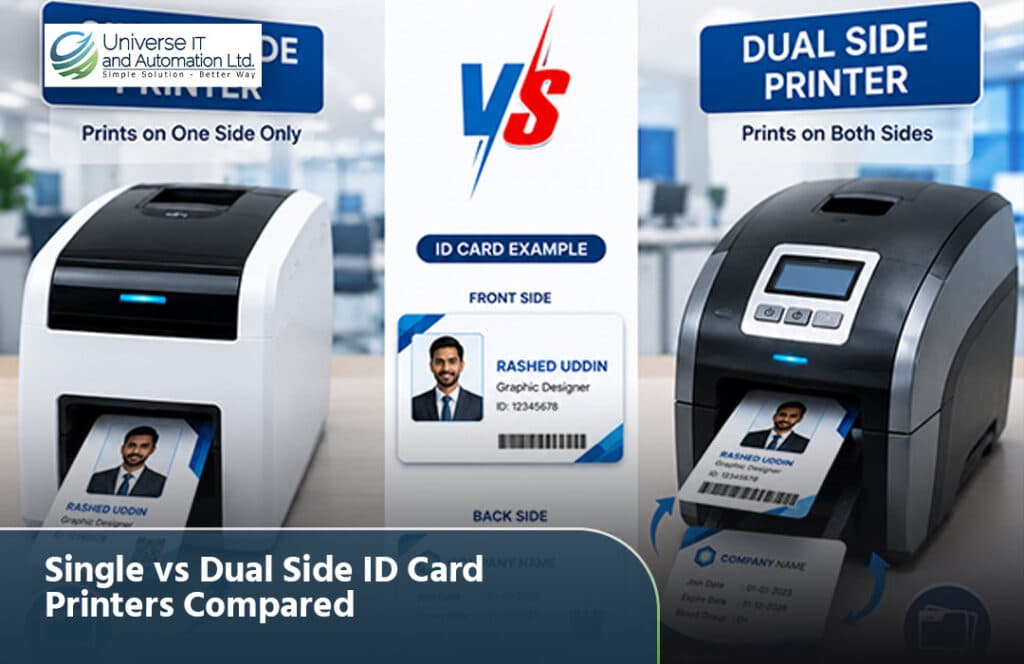
If you’re buying your first badge printer, you’ve probably hit this fork in the road already: should you get a single vs dual side ID card printer? It sounds like a small decision, but it affects your budget, your printing speed, and how professional your final cards look. The good news is that the choice usually comes down to one simple question: how much information do you actually need on your cards? In this guide, we’ll break down exactly how single-sided and dual-sided printers differ, who should buy each type, and how to avoid overspending on features you’ll never use. What Is a Single-Sided ID Card Printer? A single-sided ID card printer prints on only one face of the card — the front. The back stays blank unless you flip the card manually and run it through a second time. These printers are built around simplicity. They’re smaller, lighter, and generally the cheapest entry point into card printing. Who Single-Sided Printers Are Best For If your card design only needs a photo, name, job title, and maybe a barcode, a single-sided printer covers you completely — and you won’t be paying for a feature you’ll never touch. What Is a Dual-Sided ID Card Printer? A dual-sided (or duplex) ID card printer prints on both sides of the card in a single pass. The printer flips the card internally, so there’s no manual re-feeding, no waiting, and no risk of misalignment between sides. This matters more than it sounds like on paper. Manually flipping cards through a single-sided printer increases the chance of smudges, scratches, and print head wear — plus it slows down your whole batch. Who Dual-Sided Printers Are Best For Single vs Dual Side ID Card Printer: Key Differences Here’s a side-by-side look at what actually separates the two. 1. Printing Speed Single-sided printers are naturally faster per card because there’s only one side to print. But if you need information on both sides, a dual-sided printer wins overall — it prints both faces in one automated pass instead of two separate runs. 2. Cost 3. Card Capacity and Design 4. Security Features Dual-sided printers make it easier to add security layers like holographic overlays, magnetic stripes, or smart chip encoding on the back, which makes cards harder to counterfeit or tamper with. 5. Ease of Use Single-sided printers are simpler to operate and require less training, which is ideal if non-technical staff will be running the printer day to day. 6. Visibility and Practicality This one surprises a lot of first-time buyers: badges worn on lanyards flip around throughout the day. If your card only has information on one side, a flipped badge becomes useless for identification. Dual-sided printing solves this by keeping key details visible no matter which way the card lands. Single vs Dual Side ID Card: Quick Comparison Table Factor Single-Sided Dual-Sided Upfront cost Lower Higher Cost per card Lower Slightly higher Print speed (one-sided cards) Faster Similar Print speed (two-sided cards) Slower (manual flip) Faster (automatic) Best for Simple badges, low volume Detailed IDs, high volume Security options Basic Advanced (stripes, chips, holograms) Learning curve Easier Slightly more involved How to Choose the Right Printer for You Ask yourself these questions before you buy: If you’re still unsure, most professional printing providers — including our team at Universeita Printing — can walk you through a quick needs assessment based on your card volume, design, and security requirements. Common Mistakes to Avoid Whether you land on single-sided or dual-sided, getting your card design right the first time will save you both money and headaches. Explore more ID card printing options and services to see sample layouts before you commit to a printer. Frequently Asked Questions 1. Is a dual-sided ID card printer worth the extra cost? It depends on your card design. If you need information, barcodes, or security features on the back of the card, yes — the automation and durability benefits usually outweigh the higher upfront cost. If your card only needs a name and photo, a single-sided printer is the more cost-effective choice. 2. Can a single-sided printer print on both sides of a card? Technically yes, by manually flipping the card and running it through twice. However, this increases wear on the print head, raises the risk of misprints, and takes considerably more time than a true dual-sided printer. 3. Which is better for schools: single or dual-sided ID card printers? It depends on how the student ID is used. If it’s just for visual identification, single-sided works fine. If the card also handles library access, meal plans, or building entry, a dual-sided printer lets you fit all that data without cluttering the card. 4. Do dual-sided printers cost more to maintain? Ribbon costs are slightly higher because you’re printing on two surfaces instead of one. Otherwise, maintenance requirements are largely similar between the two printer types. 5. What’s the biggest advantage of dual-sided over single-sided ID card printers? Automation. Dual-sided printers flip and print both sides in a single pass, saving time and reducing the handling errors that come with manually feeding cards through a single-sided printer twice. Final Thoughts The single vs dual side ID card printer decision isn’t about which one is objectively “better” — it’s about matching the printer to what your cards actually need to do. Simple badges with light information? Go single-sided and save money. Cards packed with details, security features, or compliance data? A dual-sided printer will pay for itself in speed and reliability. Ready to print professional ID cards for your business, school, or event? Visit Universeita Printing today to explore ID card printer options, get expert recommendations, and find the right setup for your needs.
Best ID Card Covers for Corporate & School Use
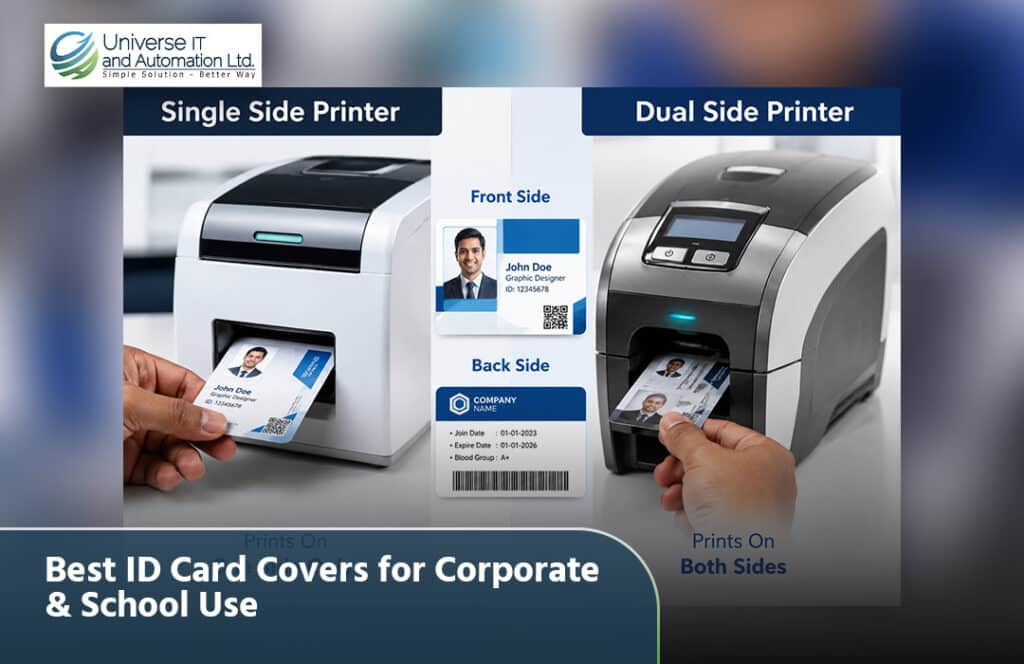
If you’ve ever watched an ID card crack, fade, or peel after a few months of daily use, you already know why a good cover matters. Whether you’re running a corporate office, managing a school, or just trying to protect your own employee badge, choosing the best ID card covers isn’t just a small detail — it’s a decision that affects security, professionalism, and how long your cards actually last. In this guide, we’ll walk through everything beginners, business owners, and students need to know: the different types of ID card covers, what to look for before buying, and how to pick the right one for corporate offices versus school environments. By the end, you’ll know exactly which cover fits your needs — no guesswork required. Why ID Card Covers Matter More Than You Think A card cover (also called a badge holder or ID sleeve) does three jobs at once: For institutions issuing hundreds of cards a year — schools, corporate HR departments, hospitals — the right cover also reduces replacement costs. A card that survives two years instead of two months saves real money over time. Types of ID Card Covers You Should Know About Not all covers are built the same. Here’s a breakdown of the main types, so you can match the right one to your setting. 1. Rigid (Hard Plastic) Holders These are firm, structured cases — often made of hard PVC or acrylic — that fully encase the card. 2. Flexible Vinyl Holders Soft, clear vinyl sleeves that bend without breaking. These are the most widely used ID card covers in schools and small offices. 3. Waterproof / Enclosed Holders Sealed holders designed for tougher environments, sometimes with zip-lock closures. 4. RFID-Blocking Holders Specialty covers with a shielding layer that blocks unauthorized scanning of proximity or smart cards. 5. Multi-Card Holders Designed to hold two or more cards — useful for employees who carry both an access badge and a payment or transit card. Corporate ID Card Covers: What to Look For Offices have different priorities than classrooms. Here’s what typically matters most in a corporate setting. Durability for Daily Wear Employees badge in and out multiple times a day. A rigid holder or heavy-duty vinyl cover tends to hold up best against constant handling. Branding Opportunities Many corporate ID card covers can be custom-printed with a company logo, adding a subtle branding touch at every entry point. Security Features For offices using proximity or smart cards, an RFID-blocking holder is worth the extra cost — it protects sensitive access data from unauthorized scanning. Orientation and Fit Corporate holders usually come in vertical or horizontal formats. Choose based on your card printer’s default layout and your lanyard or clip style. Quick corporate checklist: School ID Card Covers: What to Look For Schools and colleges deal with a different set of challenges — younger users, tighter budgets, and higher volume. Affordability at Scale Schools often issue IDs to hundreds or thousands of students. Flexible vinyl holders are the go-to choice because they’re inexpensive without sacrificing basic protection. Ease of Replacement Students misplace cards more often than employees do. Simple, low-cost holders make replacing a lost cover painless. Comfort and Safety For younger students, lanyards paired with holders should include a breakaway safety mechanism — a clip that releases if the lanyard gets caught, preventing choking hazards. Clear Visibility Faculty and security staff need to check IDs quickly at entry points, so a clear, scratch-resistant front panel is essential. Quick school checklist: Materials Comparison: Which One Should You Choose? Material Durability Cost Best For Hard Plastic (PVC/Acrylic) High Moderate–High Corporate, universities Soft Vinyl Moderate Low Schools, everyday office use Waterproof/Sealed High Moderate Outdoor, field work RFID-Blocking High (security) High Secure facilities, healthcare How to Choose the Best ID Card Cover in 5 Steps Common Mistakes to Avoid Frequently Asked Questions 1. What are the best ID card covers for daily office use? For most corporate settings, a rigid PVC holder or heavy-duty vinyl sleeve offers the best balance of durability and cost. If your office uses proximity cards, pairing this with an RFID-blocking layer adds extra security. 2. Are vinyl ID card covers durable enough for schools? Yes — flexible vinyl holders are the standard choice for schools because they’re affordable, easy to replace, and hold up well under typical student use. For higher durability needs, some schools opt for semi-rigid holders for staff IDs. 3. Do I need an RFID-blocking ID card cover? Only if your card is a proximity or smart card used for building access or payments. Standard printed IDs without embedded chips don’t need RFID protection. 4. What size should I buy for a standard ID card cover? Most ID card covers are made for the CR80 size (roughly credit-card sized, 3.375″ x 2.125″). Always double-check your card’s exact measurements before ordering in bulk. 5. Can ID card covers be custom branded? Yes, many manufacturers offer custom printing on the holder itself, allowing companies to add a logo or color scheme — a small touch that reinforces brand identity at every swipe. Final Thoughts Choosing the best ID card covers really comes down to matching the holder to your environment. Corporate offices benefit from rigid, secure, and brandable options, while schools generally do better with affordable, flexible vinyl covers paired with safe lanyards. Either way, a good cover protects your investment in ID cards and keeps your organization looking sharp and secure. Ready to upgrade your ID card system? Compare a few holder samples side by side, check them against your card type and budget, and place a small trial order before committing to bulk purchases — your cards (and your wallet) will thank you
How to Choose the Right Card Printer for Your Office
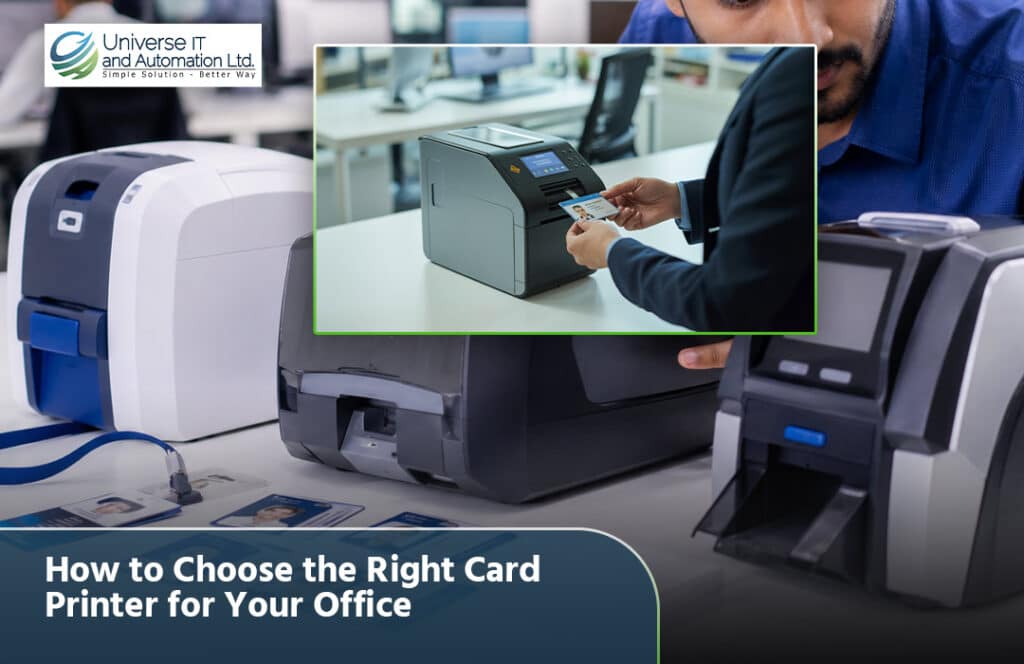
Walk into almost any office today and you’ll spot employee ID badges, visitor passes, or membership cards clipped to lanyards or tucked into wallets. Someone had to print those. If your business is growing, or you’re simply tired of outsourcing card printing to a third-party vendor, finding the right card printer for your office can save you time, money, and a lot of back-and-forth. But here’s the catch: card printers aren’t one-size-fits-all. Walk into the market unprepared, and you might end up with a machine that’s either overkill for your needs or too limited to handle your daily printing volume. This guide walks you through everything — from card types to printer features — so you can make a confident, informed decision. Why Your Office Needs a Dedicated Card Printer Before diving into specifications, let’s talk about why this investment matters in the first place. If any of these resonate with your office, it’s probably time to explore your options. Understanding the Basics: What Is a Card Printer? A card printer is a specialized device designed to print on PVC or composite plastic cards — think employee ID badges, access cards, membership cards, or student ID cards. Unlike regular paper printers, these machines use techniques like dye-sublimation or thermal transfer printing to produce durable, professional-looking cards. If you’re new to this space, think of this guide as your basic ID card printer buying guide — no jargon overload, just practical advice. Step 1: Identify Your Office’s Printing Needs This is where most buyers go wrong — they shop for features before understanding their actual requirements. Ask yourself these questions first. How Many Cards Will You Print Monthly? What Type of Cards Do You Need? Each of these may require different printer capabilities, so it helps to map this out early. Single-Sided or Dual-Sided Printing? If your cards only need information on one side (like a photo and name), single-sided printing works fine. But if you need details on both sides — such as terms, barcodes, or additional employee info — you’ll need a dual-sided printer. Step 2: Learn the Key Features That Matter Once you know your needs, it’s time to understand how to choose card printer models based on real specifications, not just marketing buzzwords. 1. Print Resolution Measured in dots per inch (dpi), resolution affects how sharp and clear your printed cards look. 2. Printing Technology There are two dominant printing methods: 3. Card Encoding Capabilities If your office uses access control systems, you may need a printer that supports: Not every printer supports these out of the box, so check compatibility with your existing security systems. 4. Print Speed If your office issues a lot of cards during peak periods (like new hire orientation days), speed matters. Entry-level printers process a handful of cards per minute, while advanced models handle significantly more. 5. Connectivity Options Look for printers with: Step 3: Consider Your Budget — Upfront and Long-Term When evaluating cost, don’t just look at the sticker price. Factor in the total cost of ownership. Upfront Costs Ongoing Costs A cheaper printer with expensive consumables can end up costing more over a year than a slightly pricier model with affordable supplies. This is a crucial part of any smart PVC card printer selection process. Step 4: Compare Printer Types Here’s a quick card printer comparison to help visualize your options. Printer Type Best For Approximate Cost Range Entry-level single-sided Small offices, low volume Budget-friendly Dual-sided standard printer Growing businesses, medium volume Mid-range High-volume professional printer Large enterprises, schools, institutions Premium Retransfer printer High-security cards with edge-to-edge printing Premium (Suggested internal link: Link this table section to a dedicated product comparison page or pricing page on your website.) Step 5: Think About Ease of Use and Maintenance Especially for beginners, usability matters as much as raw specs. If you’re a student researching this for a class project or a small business owner without an IT team, prioritize printers known for being beginner-friendly. Step 6: Match the Printer to Your Industry Different industries have different card printing needs. Here’s a quick breakdown: Corporate Offices Need employee ID badges, often with access control encoding for building entry. Educational Institutions Require student ID cards, sometimes integrated with library or cafeteria systems. Healthcare Facilities Often need cards with HIPAA-compliant security features and staff access levels. Events and Membership Organizations Typically print visitor badges or membership cards in bulk, favoring speed over encoding complexity. Choosing the best card printer for business use in your specific industry ensures you’re not paying for features you’ll never use — or missing ones you desperately need. Common Mistakes to Avoid When Buying a Card Printer Even experienced buyers slip up sometimes. Watch out for these pitfalls: Practical Card Printer Buying Tips To wrap up the decision-making process, here are some quick, actionable card printer buying tips: (Suggested external link: Link to a reputable third-party review site like PCMag or a manufacturer’s official comparison page for added credibility.) Setting Up an Efficient Office Card Printer Solution Once you’ve chosen your printer, a few final steps will help you get the most value out of it: An efficient office card printer solution isn’t just about the machine — it’s about the workflow you build around it. (Suggested internal link: Link this section to a “Getting Started” or setup tutorial page if your website offers one.) Frequently Asked Questions (FAQ) 1. What is the right card printer for a small business? For most small businesses, a single-sided, entry-level printer with dye-sublimation technology is sufficient. It balances affordability with professional-quality output for ID badges and simple membership cards. 2. How do I choose a card printer for ID badges specifically? Look for a printer with at least 300 dpi resolution, dye-sublimation printing for photo clarity, and encoding options if your badges double as access cards. 3. What’s the difference between dye-sublimation and thermal transfer printing? Dye-sublimation is better for full-color, photo-quality prints, while thermal transfer is more durable and suited
Top 10 Access Control Systems for Office & Home Security
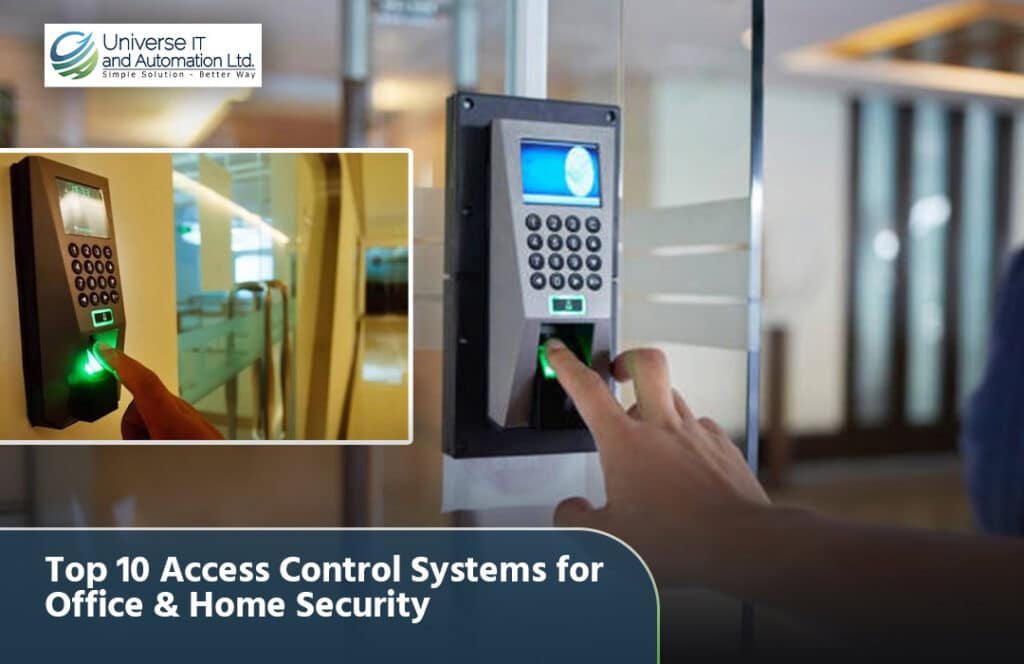
Security is no longer a luxury — it’s a necessity for every home, office, and organization in Bangladesh. From protecting sensitive company data to ensuring only authorized individuals can enter a building, access control systems have become a core part of modern security infrastructure. Whether you’re managing a corporate office, a small business, or your own home, choosing the right access control system can make the difference between complete peace of mind and constant vulnerability. In this guide, we break down the top 10 access control systems available in Bangladesh, covering biometric devices, RFID-based solutions, smart locks, and integrated security systems, so you can choose the one that best fits your needs. What Is an Access Control System? An access control system is a security solution that regulates who can enter or exit a specific location, such as an office building, server room, warehouse, or residential property. Instead of relying solely on traditional keys, modern access control systems use fingerprints, facial recognition, RFID cards, PIN codes, or mobile credentials to verify identity before granting access. These systems not only enhance security but also help track attendance, monitor entry and exit logs, and integrate with time attendance systems for payroll and HR management — making them valuable for both security and operational efficiency. 1. ZKTeco uFace800 – Best for Corporate Offices The ZKTeco uFace800 is a powerful access control and time attendance system that supports up to 3,000 face templates and 4,000 fingerprint templates, along with a logging capacity of up to 100,000 records. It also includes a built-in battery backup offering up to 4 hours of continuous operation, ensuring your access control system stays functional even during power outages — a valuable feature given Bangladesh’s occasional power fluctuations. This makes it an excellent choice for mid-to-large corporate offices needing reliable, dual-mode biometric verification. 2. ZKTeco SFace900 – Best for High-Traffic Entrances Designed for busy environments, the ZKTeco SFace900 combines face recognition (3,000 templates) and fingerprint verification (4,000 templates) with a large ID card capacity of 10,000 and a log capacity of 100,000 records. Its 4.3-inch touch screen display makes it fast and intuitive to use, ideal for offices, factories, or educational institutions with high daily foot traffic at entry points. 3. ZKTeco MultiBio 800-H – Best Multi-Factor Verification For organizations that want an extra layer of security, the ZKTeco MultiBio 800-H combines face recognition (up to 4,000 templates in 1:1 mode) and fingerprint verification in a single device with a 2.8-inch color display. Multi-factor verification significantly reduces the risk of unauthorized access through stolen or shared credentials, making it a strong choice for finance offices, server rooms, and other sensitive areas. 4. ZKTeco F22 – Best Budget-Friendly Option for Small Offices The ZKTeco F22 offers solid fingerprint-based access control with a 3,000 fingerprint capacity, 5,000 optional ID or IC card capacity, and a transaction capacity of 30,000 logs, all displayed on a 2.4-inch color screen. It’s an affordable, no-frills option well suited for small offices, retail shops, or residential buildings that need reliable access control without a large investment. 5. ZKTeco K40 – Best Entry-Level Time Attendance and Access Solution The ZKTeco K40 is a compact, cost-effective device offering 1,000 fingerprint capacity, 1,000 optional ID card capacity, and a record capacity of 100,000, displayed on a 2.8-inch TFT screen. It’s an ideal starting point for small businesses or home offices that want to combine basic access control with simple time attendance tracking. 6. Virdi Biometric Access Control Systems – Best for High-Security Environments Virdi, a globally recognized South Korean manufacturer, is known for its patented fingerprint sensor technology and comprehensive access control and time attendance solutions used by enterprises and organizations in over 100 countries. Virdi systems are trusted for their accuracy and reliability, making them a strong option for organizations with multiple branch locations or heightened security requirements, such as banks, government offices, and large enterprises. 7. RFID Card-Based Access Control – Best for Fast, Contactless Entry RFID (Radio Frequency Identification) based access control systems allow employees or residents to gain entry simply by tapping or waving an RFID card or tag near a reader. This is a fast, hygienic, and low-maintenance solution, particularly popular in offices, apartment complexes, and gated communities where speed and convenience are priorities. RFID systems can also be combined with biometric devices for two-factor authentication in higher-security areas. 8. Smart Door Locks – Best for Home Security For homeowners looking for a more modern alternative to traditional locks, smart door locks offer keyless entry through PIN codes, fingerprint scans, RFID cards, or even smartphone apps. These locks are increasingly popular in Bangladesh for apartments and private homes, offering convenience along with enhanced security features like tamper alerts and entry logs — giving homeowners visibility into who accessed their property and when. 9. Long Distance RFID Readers – Best for Vehicle and Gate Access For offices, factories, or residential compounds with vehicle entry points, long distance RFID readers allow automatic gate access when a vehicle-mounted RFID tag is detected from several meters away. This eliminates the need for security personnel to manually check every vehicle, speeding up entry while maintaining a secure, logged record of every vehicle that enters or exits the premises. 10. Integrated CCTV and Access Control Systems – Best for Complete Security Coverage While access control manages who can enter a space, pairing it with a CCTV surveillance system adds a critical layer of visual monitoring and evidence recording. Combining access control devices with CCTV brands like Hikvision, Dahua, or Jovision allows businesses and homeowners to both restrict access and visually verify activity in real time, creating a comprehensive security ecosystem rather than relying on a single layer of protection. How to Choose the Right Access Control System With so many options available, selecting the right access control system depends on a few key factors: Purpose and Location An office managing hundreds of employees has very different needs than a family securing a home. Corporate environments often benefit from devices like
Best Barcode Printer in Bangladesh – Guide and Price
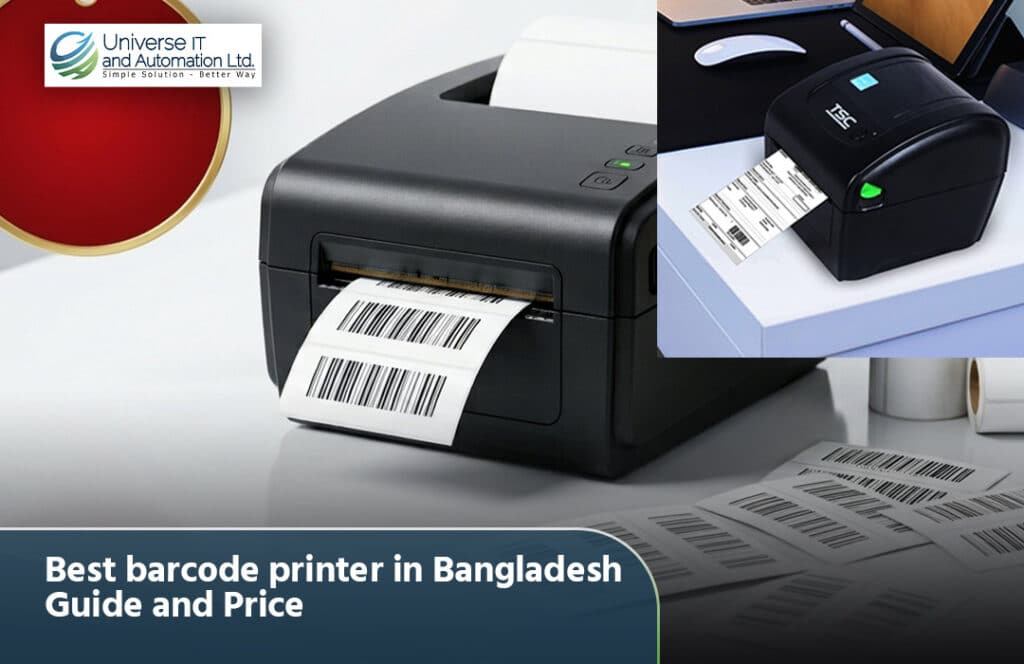
Barcode printers have become essential equipment for retail shops, supermarkets, pharmacies, warehouses, garments factories, and logistics companies across Bangladesh. As businesses move toward faster checkout, accurate inventory tracking, and professional labeling, having the right barcode printer is no longer optional — it’s a necessity. If you’re searching for the best barcode printer in Bangladesh along with a clear idea of pricing, this guide covers everything you need to make a confident purchase decision. What Is a Barcode Printer and Why Do You Need One? A barcode printer is a specialized device that prints barcode labels — 1D barcodes like Code 128 and UPC, or 2D barcodes like QR codes and DataMatrix — onto adhesive labels, tags, or ribbons. These labels are then scanned using a barcode scanner to instantly pull up product information such as price, SKU, batch number, or stock quantity from your POS or inventory software. Barcode printers are widely used across: Using a barcode printer allows businesses to speed up checkout, reduce human error in pricing and product codes, maintain accurate inventory records, and present a more professional brand image with clean, printed labels instead of handwritten tags. Types of Barcode Printers Available in Bangladesh Before choosing the best barcode printer, it helps to understand the different printing technologies available in the Bangladesh market. Direct Thermal Printers Direct thermal printers use heat-sensitive paper and do not require ink, toner, or ribbon. They are cost-effective and popular for short-term labeling needs like shipping labels and receipts, though the print can fade over time when exposed to heat or sunlight. Thermal Transfer Printers Thermal transfer printers use a ribbon to transfer ink onto the label, producing sharper, more durable prints that resist fading, smudging, and exposure to moisture or chemicals. This makes them ideal for long-term labeling needs such as product barcodes, asset tags, and industrial labels. Most Zebra barcode printers, including the Zebra ZT230 and Zebra ZD230, support thermal transfer printing. Industrial Barcode Printers Industrial-grade barcode printers, such as the Zebra ZT411 and Zebra ZT421, are built for continuous, high-volume printing in demanding environments like factories, large warehouses, and distribution centers. These models offer faster print speeds, metal construction for durability, and advanced connectivity options. Top Barcode Printer Brands in Bangladesh Several trusted brands dominate the barcode printer market in Bangladesh, each catering to different business sizes and budgets. Zebra Zebra is the industry leader in barcode printing technology, known for rugged build quality, consistent performance, and a wide range of models suited for everything from small retail shops to large-scale industrial operations. Popular models include the Zebra ZD230 desktop printer, the Zebra ZT230 industrial printer, and the high-performance Zebra ZT411 and ZT421 series. Brother Brother offers a diverse range of label printers, from compact desktop models to industrial-grade machines, known for user-friendly design and consistent print quality — a solid choice for retail, logistics, and healthcare businesses. Rongta Rongta printers are known for being affordable and straightforward, making them a good fit for home businesses and small offices with basic labeling needs. Xprinter Xprinter produces desktop, mobile, and industrial label printers known for competitive pricing, offering good value for budget-conscious buyers. Best Barcode Printer Models in Bangladesh Zebra ZD230 – Best for Small to Medium Businesses The Zebra ZD230 is a 203 DPI desktop barcode printer with a 4-inch head size, capable of printing labels up to 4.09 inches wide and 39 inches long, with a maximum print speed of 6 inches per second. It comes with a 1-year service warranty and is ideal for retail shops, pharmacies, and small businesses that need reliable, everyday barcode label printing without a large upfront investment. Zebra ZT230 – Best for Growing Businesses The Zebra ZT230 is a monochrome industrial printer that supports both direct-thermal and thermal-transfer printing, connecting via USB. It’s a strong middle-ground option for businesses that are scaling up their labeling needs beyond a basic desktop printer but don’t yet require a full industrial-grade machine. Zebra ZT411 – Best for High-Volume Operations The Zebra ZT411 is designed for businesses with heavier daily printing demands, such as large warehouses and manufacturing facilities. It offers durable, industrial-grade construction suited for continuous operation, making it a reliable long-term investment for growing companies. Zebra ZT421 – Best for Large-Scale Industrial Printing For large enterprises and industrial operations needing maximum durability and print volume, the Zebra ZT421 is built to handle demanding, round-the-clock labeling environments. Key Features to Look for When Buying a Barcode Printer Print Resolution Barcode printers typically come in 203 DPI or 300 DPI resolution. For most retail and warehouse applications, 203 DPI is sufficient. However, if you’re printing small barcodes, dense QR codes, or detailed graphics, a 300 DPI printer ensures clearer, more scannable results. Print Speed If your business prints a high volume of labels daily, look for a printer with a higher print speed rating (measured in inches per second) to avoid bottlenecks during peak hours. Connectivity Options Modern barcode printers support USB, Ethernet, and sometimes Wi-Fi or Bluetooth connectivity. Choose a model that integrates easily with your existing POS system, inventory software, or network setup. Print Width and Length Consider the size of labels you need to print. Most desktop printers like the Zebra ZD230 support widths up to around 4 inches, which covers most standard retail and shipping label sizes. Durability and Build Quality For high-volume or industrial environments, a metal-body printer like the Zebra ZT series will withstand continuous daily use far better than lightweight desktop models. Ribbon and Label Compatibility Make sure ribbons and labels for your chosen printer are easily available locally. Universe IT stocks genuine Zebra ribbons and a wide range of barcode labels, including specialized options like jewelry label stickers for gold and diamond shops. Barcode Printer Price in Bangladesh Barcode printer prices in Bangladesh vary significantly based on the brand, printing technology, and intended use case. Based on current market offerings: Barcode labels themselves are also very affordable, with specialty options like jewelry label stickers available for